
Improving your Company Library
We have been making incremental changes to improve the file security for newer file uploads on HR Partner, ensuring that file safety and privacy is paramount.
You will have probably noticed now that almost all files have to be accessed via a secure authenticated URL that has a specific time limit on it, which prevents people from accessing files even if they later manage to find out the direct URL to your file on HR Partner.
However this can also work against you, especially if you have a file like a Company Handbook or Employee Guide within your Company Library in HR Partner that you wish to send to team member via email, or an intranet link, and you want them to be able to access that file at any time in the future without you having to issue them a new timed URL.
The good news is that we just introduced a way to make your Library files 'public' via a new menu option.
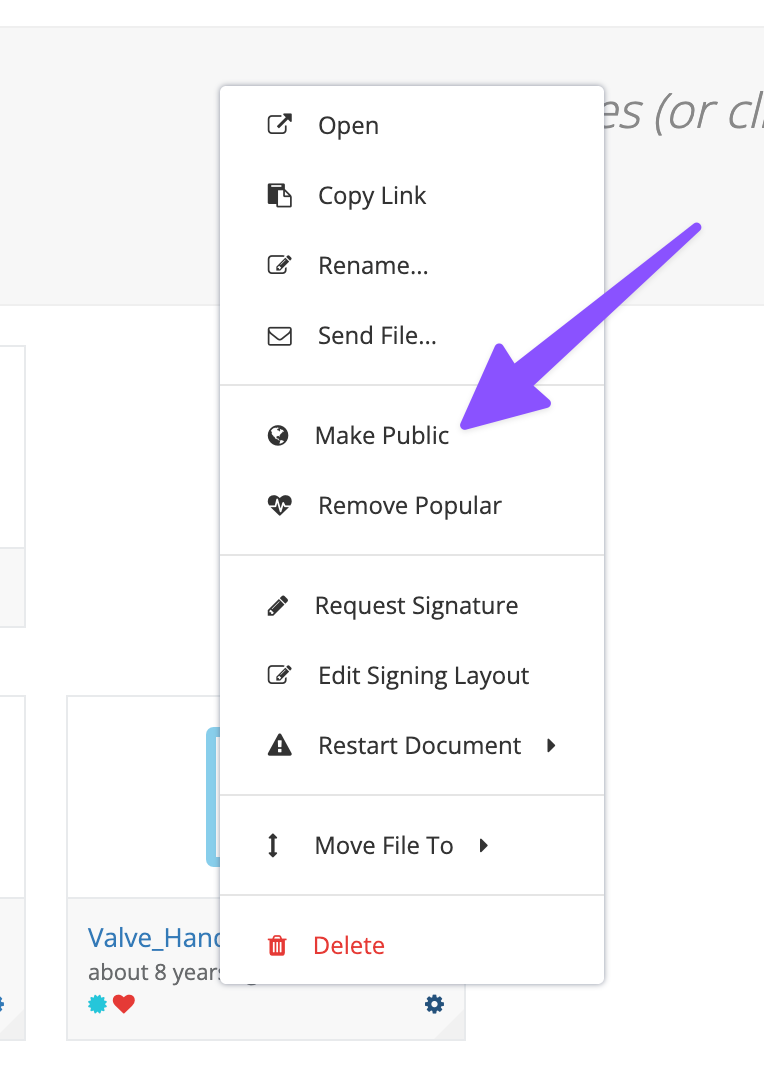
You can use this menu option to toggle the file between 'public' and 'private'.
Employee file attachments will always be marked 'private' and will never be allowed to be shared without the full time sensitive link. At this stage, there is no option, or plans to allow our customers to change this.